
I had my IEC Code ready, my GST done, my current account open — and then my freight forwarder asked me for my AD Code for export in India right before my first shipment. I had never heard of it.
That moment of panic is something a lot of new exporters go through. AD Code is one of the most overlooked registrations in the entire export setup process — not because it’s complicated, but because nobody mentions it until you actually need it.
This article explains exactly what AD Code is, why customs requires it, and how to get it registered — with your bank and at the port — before your first shipment moves.
What is AD Code? Simple Definition for Exporters
AD Code stands for Authorised Dealer Code.
It is a 14-digit code assigned by your bank to your export current account. The “AD” in AD Code stands for Authorised Dealer — which refers to banks that are authorised by the Reserve Bank of India to deal in foreign exchange.
When you export goods, foreign currency comes into India from your buyer abroad. The customs system needs to know exactly which bank account that foreign currency should be tracked against. Your AD Code is how that link is established.
Every exporter needs their AD Code registered at the customs port before their first shipment. Without it, your Shipping Bill cannot be filed and your goods will not be cleared for export.
Why is AD Code Required for Export in India?
AD Code is not just a bureaucratic box to tick. It serves a specific and important purpose in India’s export compliance system.
Customs uses it to link your shipment to your bank account. When your Shipping Bill is filed on ICEGATE — India’s customs portal — the AD Code tells the system which bank branch and account the foreign exchange from this shipment will flow into.
It is mandatory for filing the Shipping Bill. The Shipping Bill form on ICEGATE has a field for AD Code. Without a valid, registered AD Code, the form cannot be completed and your shipment cannot be cleared at the port.
RBI uses it to track foreign exchange inflows. Every time you export and receive foreign payment, that transaction is recorded against your AD Code. This is how the Reserve Bank of India monitors foreign exchange coming into India from exports.
It ensures payment compliance. The AD Code creates an auditable link between your export shipment and the bank account that receives the corresponding foreign payment. This matters for FEMA — Foreign Exchange Management Act — compliance.
Think of it this way: your IEC Code tells the government who you are as an exporter. Your AD Code tells the government where your export payments will land.
AD Code vs IEC Code — Key Difference Explained
This is a common source of confusion among new exporters. Both codes are required, but they are completely different in what they represent and who issues them.
IEC Code is your identity as an exporter. It is issued by DGFT — the Directorate General of Foreign Trade — and it stays the same regardless of which bank you use or how many bank accounts you have. One IEC Code covers your entire export business.
AD Code is your bank account’s identity for foreign exchange transactions. It is issued by your bank — specifically the branch where your export current account is held. If you change banks or open a new current account at a different branch, you need a new AD Code for that account.
Both are needed. They work together — IEC identifies you, AD Code identifies where your money goes.
Step 1: Get Your AD Code Bank Letter From Your Bank Branch
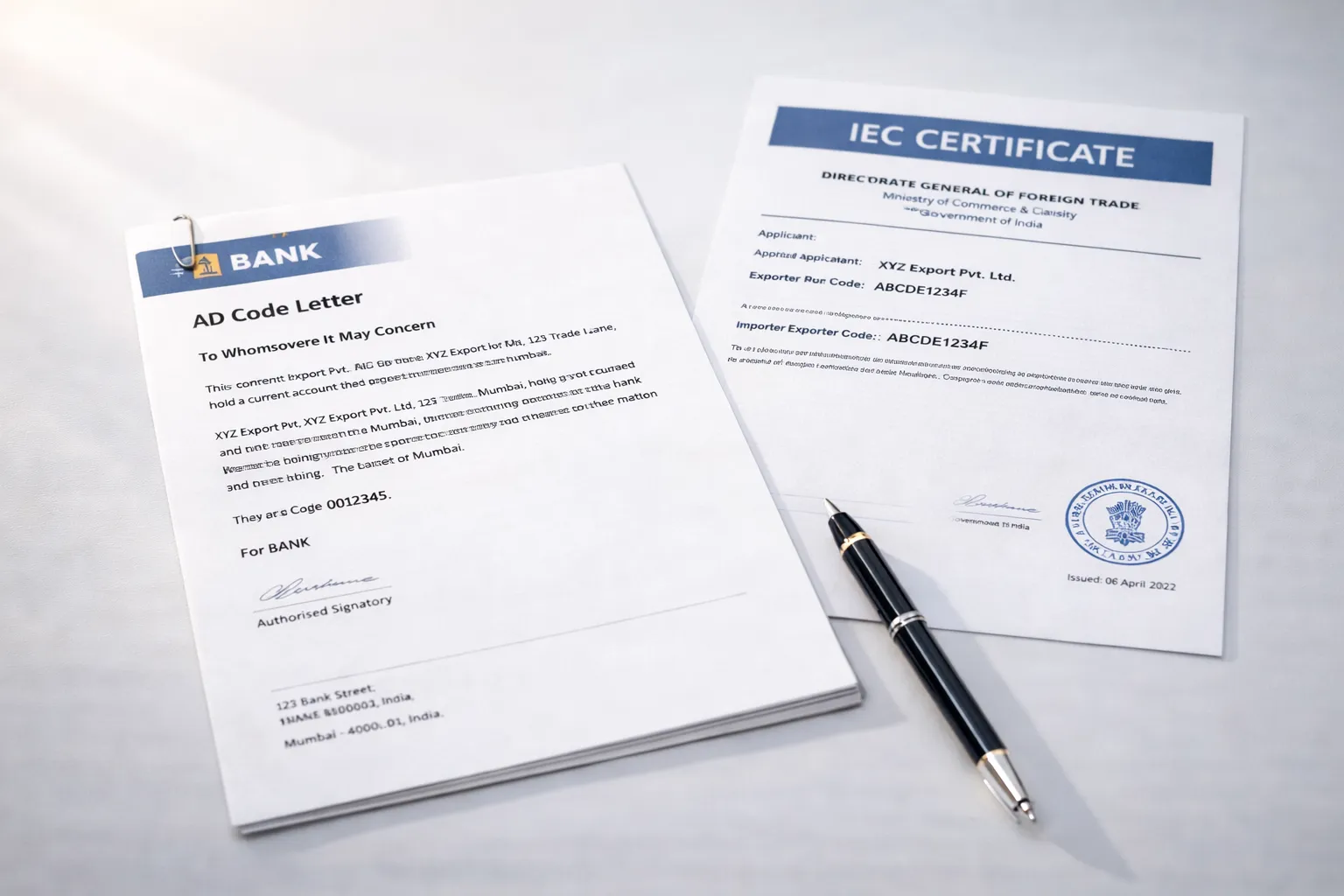
The first step is to visit the branch where your export current account is held and request an AD Code Letter — also called a Bank AD Code Certificate.
Documents to carry to the bank:
- IEC Certificate (issued by DGFT)
- GST Registration Certificate
- Current account details — account number, IFSC code
- Business registration proof — GST certificate usually covers this, but carry your registration document to be safe
Hand these to the branch manager or the forex desk at your branch and ask for an AD Code Letter for your export current account.
The bank will issue the letter on their official letterhead. It contains your bank’s AD Code number, the branch details, your account number, and the branch’s IFSC code. This document is what you’ll submit to customs for registration.
Timeline: Most banks issue the AD Code Letter within one to three working days.
Cost: This letter is free. Banks do not charge for issuing it. If someone at your branch mentions a fee — escalate to the branch manager or the forex department.
One important note: some bank branches — particularly smaller branches or staff who don’t handle export accounts regularly — may not be familiar with what an AD Code Letter is. If you face this, ask specifically for the forex department or trade finance desk. They will know exactly what you need.
Step 2: Register Your AD Code on ICEGATE Portal
Once you have your AD Code Letter from the bank, the next step is to register it on ICEGATE — the customs portal at icegate.gov.in.
Two ways to do this:
Option 1 — Register through your CHA (Customs House Agent). For most first-time exporters, this is the easier route. Your CHA handles customs filings regularly and knows the ICEGATE registration process well. Hand them your AD Code Letter and they will complete the registration on your behalf. This is what most new exporters do for their first shipment.
Option 2 — Register directly on ICEGATE. If you want to do it yourself, the process is:
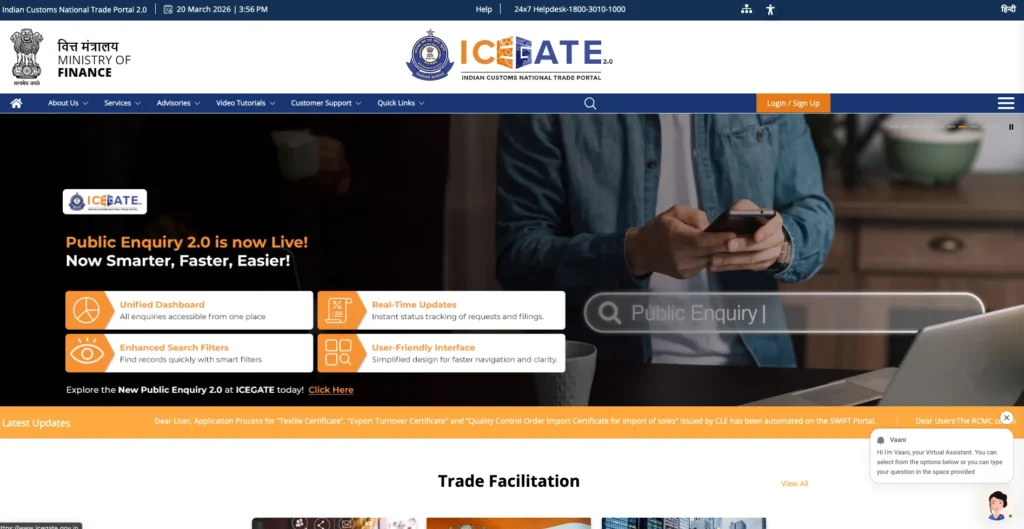
- Log in to your account at icegate.gov.in
- Navigate to AD Code Registration under the services menu
- Fill in your bank details — account number, IFSC, branch name
- Upload your AD Code Letter in PDF format
- Submit the registration request
Processing time: ICEGATE typically processes AD Code registrations within two to three working days after submission.
Whether you do it yourself or through your CHA — get this done well before your shipment date. Do not leave it for the day of shipping.
Step 3: Complete Port-Wise AD Code Registration
This is the detail that catches most new exporters off guard — and it’s important.
AD Code must be registered separately at each port you plan to export from.
If your first shipment goes through Nhava Sheva (Mumbai), your AD Code needs to be registered at that port. If you later want to export from Chennai or Mundra, you need to register the same AD Code at those ports separately.
Registration at one port does not carry over to other ports automatically. The customs system at each port maintains its own records.
Your CHA at each port can handle this registration for you. When you begin working with a new port, give your AD Code Letter to the CHA assigned to that port and ask them to complete the port registration before your first shipment from that location.
Keep multiple printed copies of your AD Code Letter in your export document file. You will need it each time you register at a new port.
You can read our detailed guide on: “How to Fill a Shipping Bill in India (ICEGATE Guide)”
What Happens If AD Code is Not Registered Before Shipping?
The consequences are immediate and practical.
Your Shipping Bill cannot be filed on ICEGATE. The AD Code field is mandatory. Without a registered AD Code, the filing fails and your shipment has no customs clearance document.
Your shipment will be held at the port. Without a Shipping Bill, your freight forwarder and CHA cannot proceed with customs clearance. The goods sit at the port — not moving.
You risk missing your vessel deadline. Container ships operate on fixed schedules. If your customs clearance is delayed, you may miss the vessel your cargo was booked on. Rebooking means additional freight costs and your buyer’s delivery timeline is affected.
Storage charges accumulate. Goods held at the port beyond the free storage period attract demurrage and storage charges — costs that come directly out of your margin.
The fix is simple: register your AD Code at least a week before your first planned shipment date. Not the day before. Not the morning of.
AD Code Registration Checklist
Use this to confirm everything is in place before your first shipment:

- Export current account opened and active at your bank
- IEC Code received from DGFT
- GST registration completed
- AD Code Letter requested from your bank branch
- AD Code Letter received and verified — check account number, IFSC, and branch name
- AD Code registered on ICEGATE — either directly or through your CHA
- Port-wise registration completed for all ports you plan to use
- Copy of AD Code Letter stored safely — digital and physical
You can read our detailed guide on: “How to Open a Current Account for Your Export Business”
Common AD Code Registration Problems in India
Bank branch not familiar with AD Code Letter. This happens more often than it should. If bank staff look confused when you ask, request the forex department or trade finance team specifically. Every RBI-authorised bank must be able to issue this — it’s just that not every branch handles it regularly.
Wrong account number on the AD Code Letter. Always verify the letter before submitting to customs. Check the account number, IFSC code, and branch name against your passbook or bank statement. A single digit error causes a mismatch at ICEGATE that delays your registration.
ICEGATE registration delayed due to portal issues. ICEGATE occasionally has technical delays. If your registration is pending beyond three working days, follow up with your CHA — they can check the status and escalate if needed.
Forgetting to register at new ports when expanding. As your business grows and you start shipping from different ports, it’s easy to overlook the port registration step. Make it a standard checklist item every time you work with a new port.
AD Code not updated after changing bank accounts. If you switch banks or open a new current account, your old AD Code becomes irrelevant for that new account. Get a fresh AD Code Letter from your new bank and re-register on ICEGATE before your next shipment.
You can read our detailed guide on: “How to Get IEC Code in India: Step-by-Step Guide (2026)“
Conclusion
AD Code is a small registration that most new exporters discover at the worst possible time — right before their first shipment, when there’s no room for delays.
The good news is that it’s straightforward to get. A visit to your bank branch, a free letter, and a registration on ICEGATE. Done well in advance, it adds nothing to your workload and removes a serious potential obstacle from your first shipment.
Get your IEC first. Then your GST. Then open your current account and get your AD Code Letter immediately after. By the time your shipment is ready, everything is already in place.
Key Takeaways
- AD Code is a 14-digit bank-issued code that links your export current account to your shipments at customs — without it, your Shipping Bill cannot be filed.
- Getting your AD Code Letter from the bank is free and typically takes one to three working days — carry your IEC Certificate, GST Certificate, and current account details when you visit.
- AD Code must be registered on ICEGATE — India’s customs portal — either directly or through your CHA before your first shipment.
- Registration is port-specific — if you export from multiple ports, you must register your AD Code at each port separately.
- If you change your bank account, get a new AD Code Letter immediately and re-register on ICEGATE before your next shipment.
Frequently Asked Questions
Q1: Can I register AD Code myself on ICEGATE or do I need a CHA?
You can register AD Code yourself directly on the ICEGATE portal — you don’t need a CHA for this. The process involves logging into icegate.gov.in, navigating to the AD Code Registration section, entering your bank details, uploading your AD Code Letter, and submitting.
That said, for a first-time exporter, doing it through your CHA is often the easier route. CHAs handle ICEGATE registrations regularly and can process it quickly without you having to navigate an unfamiliar portal. If you already have a CHA assigned for your first shipment, hand them the AD Code Letter and let them handle the registration — it’s a standard part of what they do.
Once you’re comfortable with the ICEGATE portal, you can manage subsequent port registrations yourself.
Q2: How long does AD Code registration take at the port?
After the AD Code is registered on ICEGATE, port-level activation typically happens within two to three working days. At major ports where your CHA has regular working relationships with customs staff, it can sometimes be processed faster.
The key is to start early. Submit your AD Code Letter to your CHA or register on ICEGATE at least a week before your planned shipment date. This gives enough buffer for any processing delays without affecting your cargo booking or vessel deadline.
Q3: Do I need a separate AD Code for each product I export?
No — your AD Code is linked to your bank account, not to your products. One AD Code covers all products you export, regardless of category or HS code.
What matters is the bank account your foreign payments will flow into. As long as that account remains the same, the same AD Code applies to every shipment — whether you’re exporting spices, textiles, or engineering components.
You would only need a different AD Code if you decide to receive payments for different exports into a different bank account, or if you change your primary export bank account entirely.
Q4: What is the difference between AD Code and IFSC Code?
They are two completely different codes that often appear together on bank documents during export setup — which is why beginners sometimes confuse them.
IFSC Code — Indian Financial System Code — is an 11-character alphanumeric code that identifies a specific bank branch within India’s domestic payment system. It is used for NEFT, RTGS, and IMPS transfers within India. Every bank branch in India has a unique IFSC Code.
AD Code is a 14-digit number specifically assigned to your export current account by your bank for the purpose of foreign exchange tracking and customs compliance. It is used in export documentation — particularly in the Shipping Bill on ICEGATE — to link your shipment to the correct bank account for foreign payment tracking.
In practical terms: IFSC is for domestic transfers. AD Code is for international trade compliance. Both appear on your AD Code Letter from the bank, but they serve entirely separate purposes.
Q5: Do I need to re-register AD Code if I change my bank branch?
Yes — and this is something many exporters miss when they switch banks or branches.
Your AD Code is issued by a specific bank branch. If you transfer your export current account to a different branch of the same bank — even within the same city — the branch’s AD Code changes. You will need to get a new AD Code Letter from the new branch and re-register it on ICEGATE.
If you move to an entirely different bank, the same applies — new bank, new AD Code Letter, new ICEGATE registration required before your next shipment.
Until the new AD Code is registered, your old bank’s AD Code will still appear in the system. Filing a Shipping Bill with an outdated or incorrect AD Code creates a mismatch in the foreign exchange tracking system, which can cause compliance issues and payment processing problems. Update it promptly whenever your banking details change.
Q6: Is AD Code required for service exports from India?
Service exporters do not file a Shipping Bill, so AD Code registration on ICEGATE does not apply in the same way. Foreign payments for service exports are tracked through FIRC (Foreign Inward Remittance Certificate) and BRC (Bank Realisation Certificate).
However, you still need a current account with an RBI-authorised AD bank to receive foreign payments.